 EmoChatLive
EmoChatLive
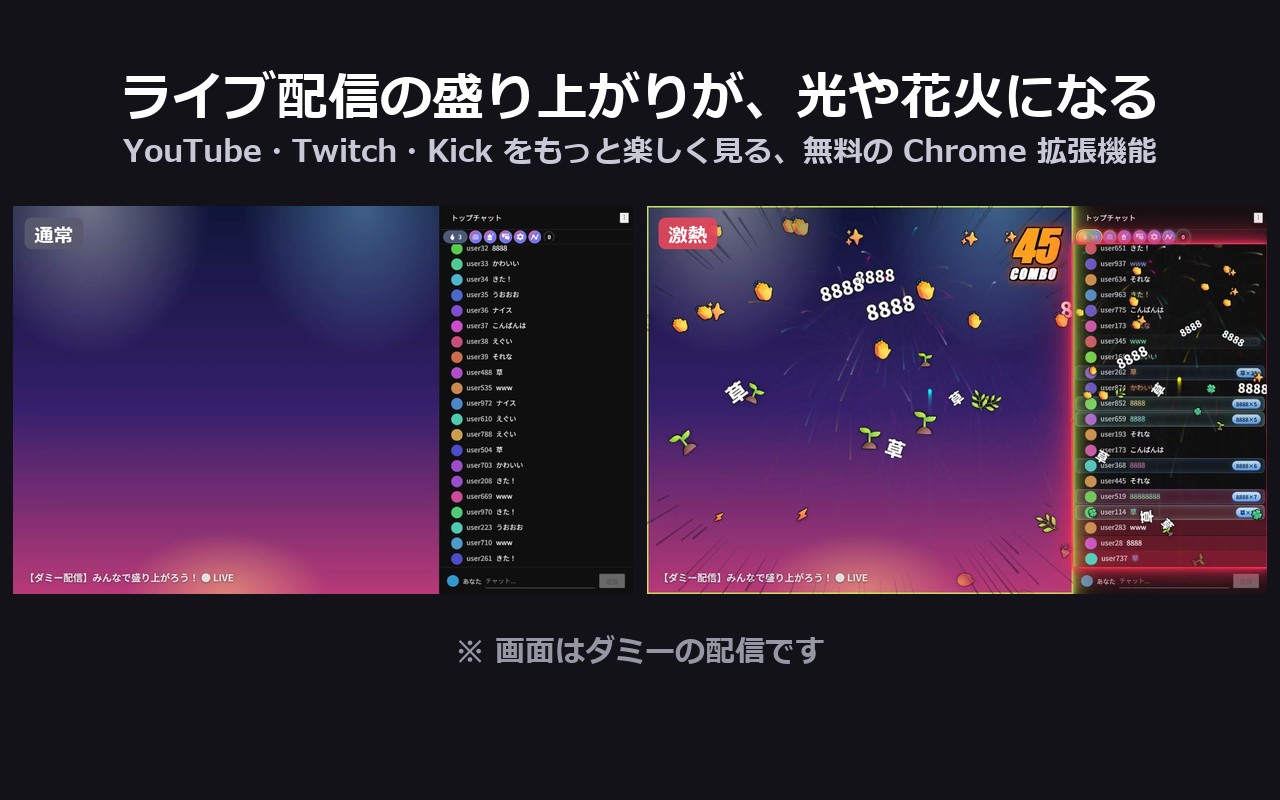
When chat goes wild, your chat box lights up too.
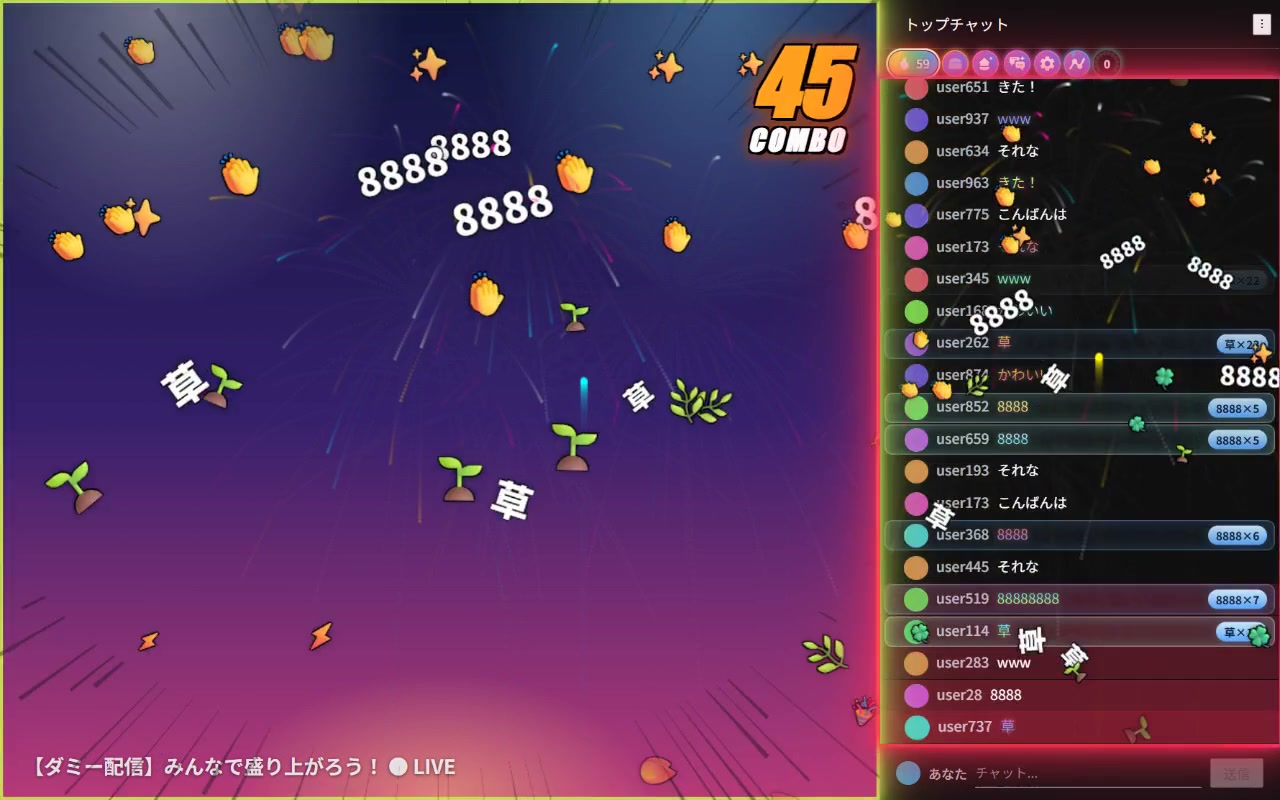
A free Chrome extension for people who watch live streams on YouTube, Twitch and Kick. As chat messages flood in, the chat border glows. When things really heat up, confetti and fireworks go off. Streamers don't need to set up anything, and no Bits or subs are needed: it reacts to chat itself.
Free. No ads. No account required. Chat messages never leave your browser.

What makes it different
Effects that follow the hype of the chat already exist on the streamer's side (OBS overlays) and as paid platform features. EmoChatLive is different in three ways.
Nothing for the streamer to set up
You install it, you open a stream, it works. The effects appear in your own browser, not in the stream's video, so they work on any channel.
Reacts to chat, not to money
The chat border glows and confetti flies when messages pile up. No Bits, no subs, no hype train needed. When "LOL" keeps coming you get a laugh-themed aura; when "8888" (clapping in Japanese chat) keeps coming it builds a combo.
One extension, three platforms
YouTube, Twitch and Kick, with the same effects everywhere. Every effect can be turned off separately, so you decide what shows up and when.
It does not add emotes. In our tests it works alongside 7TV, BetterTTV and FrankerFaceZ on Twitch, and 7TV on Kick. It is not compatible with HyperChat on YouTube, because HyperChat replaces the chat and EmoChatLive cannot see the messages. Effects are simplified automatically when chat gets crowded; in our tests the chat stayed at 58–60 fps even with 40 messages per second.
See it in motion on YouTube (all footage uses a mock chat; no real streamers or viewers appear).
Features
Works on YouTube, Twitch and Kick in Google Chrome. The interface switches between English, 日本語, 简体中文 and 한국어 following your browser language.
Main features
- Visual effects that react to chat activity: glowing chat borders, confetti, fireworks, auras and combos
- Momentum meter and chat-volume graphs
- Preset chat messages you can send with one click (up to 7 templates), plus stickers
- Watch-time stats, an achievement dashboard and fan levels
- Show or hide usernames, block users, copy chat messages
- Chat filters: hide emoji-only or sticker-only messages and messages containing up to 5 words you choose (only in your own view)
- Display settings (theme and text size) and a history of messages you've sent
- Optional Google sign-in to access your settings and stats across devices
- Optional rankings (sign-in required, private by default)
- Oshi Town: a shared sticker board and drawing canvas for fans of the same channel (sign-in required)
Privacy and permissions
Here is exactly what the extension can and cannot do. The full details are in the Privacy Policy.
Chat stays in your browser
Hype detection, filters and effects run locally. Chat messages are never sent to our servers. Nothing at all is sent to our servers unless you sign in; if you do, only your settings, watch-time totals and what you post in Oshi Town are stored (Supabase, Tokyo region).
Hands off your accounts
EmoChatLive never touches your YouTube, Twitch or Kick login or tokens, never posts on its own and never alters network traffic. Template comments are sent only when you click the button.
No ads, no ad tracking, no selling data
There is no advertising, no ad tracking and no analytics script in the extension or on this website. The Chrome Web Store listing page uses Google's own store analytics, which gives us aggregate numbers only.
Permissions, and why each one is needed
- youtube.com, twitch.tv, kick.com: to add the effects, meter, templates and filters to the chat box and to record watch time on those pages. The extension adds nothing anywhere else.
- storage: to keep your settings, templates and stats in your browser.
- identity: only for the optional Google sign-in.
- alarms: to sync settings and stats periodically, only if you are signed in.
- extensionpay.com: reserved for a future optional feature; the current version does not use it or communicate with it.
Before you install
- Built for Google Chrome. Other browsers are not supported.
- EmoChatLive is an unofficial extension and is not affiliated with YouTube, Twitch, Kick, or any streamer or agency. Changes to those platforms may cause some or all features to stop working until an update is available.
- Some effects include flashing lights, sudden changes in brightness and screen shake. If you are sensitive to flashing lights or motion, please use caution, and stop using the extension if you feel unwell. You can turn off each effect individually in the display settings.
- Not intended for children under 13. If you are 13 or older but under the age of majority where you live, please use it with the consent of a parent or legal guardian.
- Currently offered in Japan and in the regions listed on the Chrome Web Store.
About
Who makes it
EmoChatLive is made by a small team in Japan. The person responsible is named in the Privacy Policy, and you can reach us by email or through the contact form below. We answer within about 3 business days.
Changelog
- 0.16.3 (Oct 23, 2026): new looks for effects, "always lighten effects" option, cut-in moved to the bottom, more English chat reactions (LUL, KEKW, Pog, Let's go), Halloween 2026 index until Nov 3.
- 0.16.2 (Oct 19, 2026): public release. Reworked cherry-blossom pulse, lighter effects.
- 0.16.1 (Oct 15, 2026): fixes from the first store review.
- 0.16.0 (Oct 12, 2026): first release on the Chrome Web Store (limited).
Manifest V3. Updates are announced on X (@emochaJP).
Press kit
You are welcome to use these images and videos in articles and videos without asking first (cropping and resizing are fine). All stream footage is a mock chat; no real streamers or viewers appear.
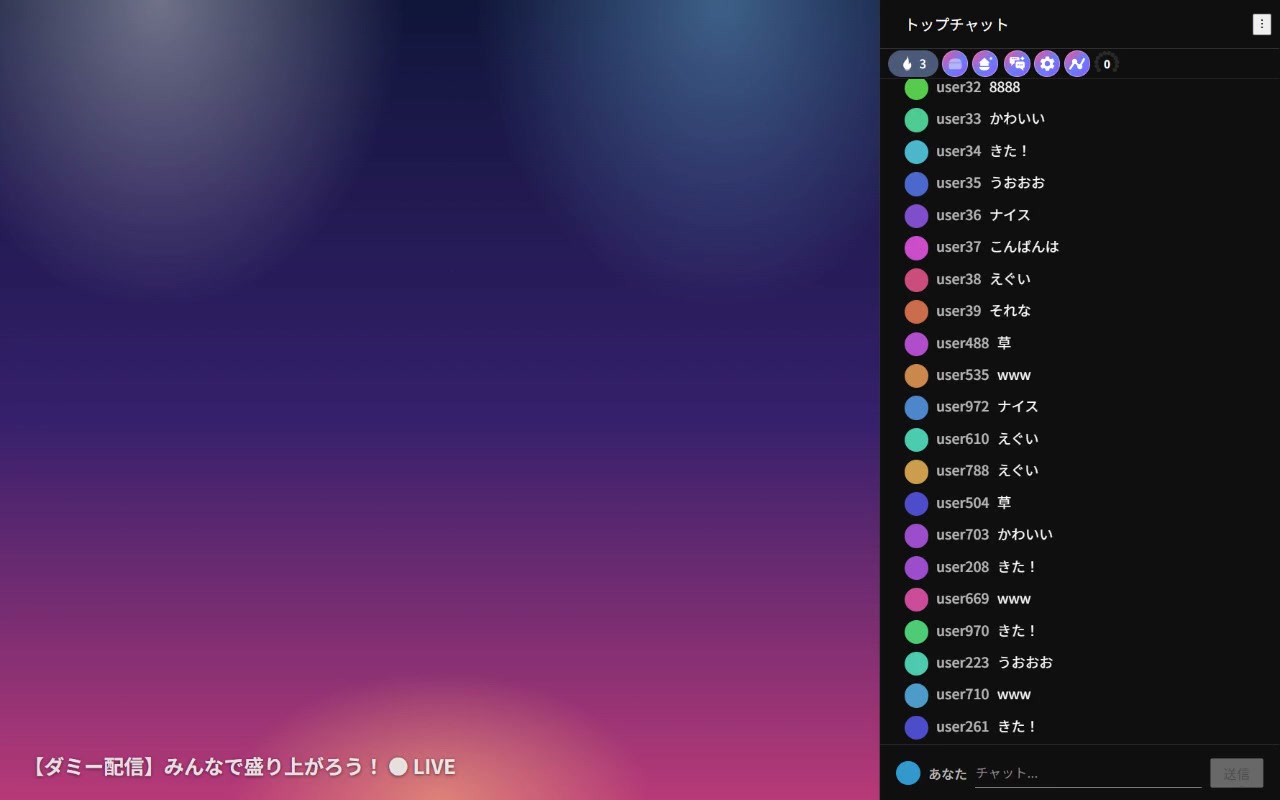
Comparison image (normal → hyped)
Icon
512×512 PNG (please do not modify)

Videos
Official YouTube channel (currently with Japanese captions; English videos are coming)
Facts
Name: EmoChatLive (えもちゃっとライブ) / Type: Chrome extension, free, no account required / Works on: YouTube, Twitch and Kick live streams / Public release: October 19, 2026 / Made by: a small team in Japan / Press inquiries: see Contact
Contact
Questions, bug reports and press inquiries are welcome. We usually reply within 3 business days.
Contact form
Operator
EmoChatLive team (Japan)